 I’ve been a lover of Google products for quite some time. Probably going on 10 years now. Today I want to tell you about a few features on Picasa that I absolutely love that makes blogging easier for me.
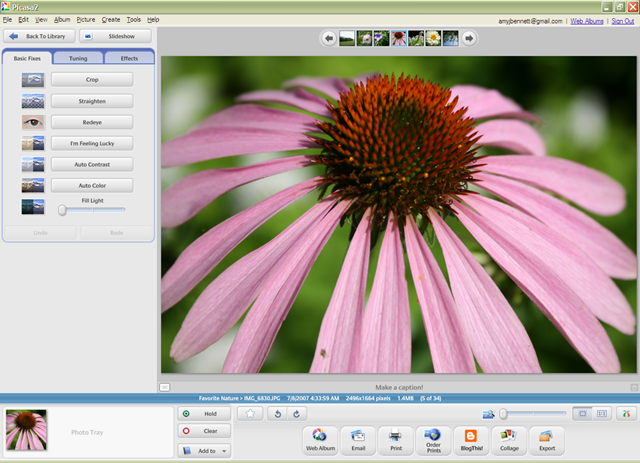
Sometimes for posts like the recent birthday party post, I need a small set of all the pictures I took. The easiest way for me to do this instead of rambling through the pictures in explorer one by one, I use Picasa’s Hold and Export features.
When I come across a picture I want to include, I hold it in the tray on the bottom left. Once I have all the desired pictures, I then use the Export feature. When I export them, I can choose what size to export them and what folder to export them to. That way, all the pictures I want to blog on for a particular post are now downsized to the desired size and are in one place. When I’m done with the post and have uploaded the pictures, I simply delete the temporary folder.
I’m sure there are easier ways, but this works for me!
To see more Works for Wednesday posts, head on over to this week’s carnival at Rocks in my Dryer.